Omnimcp
54-tool MCP server for multimodal automation the only open-source MCP with full PPTX/DOCX/PDF lifecycle, plus FFmpeg, GIMP, Inkscape, Blender, FreeCAD, MATLAB, Godot integration. 7 MCP services orchestrated in one workspace.
Overview
MCP Multimodal Automation Workspace
中文说明
Overview
This project implements a complete multimodal engineering automation framework built on the Model Context Protocol (MCP). The core design philosophy couples external, prebuilt MCP services/plugins with a custom in-house MCP tool server, both running cooperatively within a single VS Code workspace:
- External layer:
.vscode/mcp.json declares third-party MCP services — Playwright, GitHub, Blender-MCP, FreeCAD-MCP, Godot-MCP, and the official MATLAB MCP — connected via stdio or HTTP, all dispatched through VS Code Copilot Agent.
- Custom layer:
omni_mcp.py implements 54 tools across 15 modules in a single Python file, covering office documents, image processing, video transcoding, 3D modeling, scientific computing, and system utilities.
Together, these layers allow an LLM Agent to execute end-to-end workflows — "fetch data → generate reports → render 3D scenes → export video → deploy game" — in a single conversation, with all calls made through the standard MCP protocol for full reproducibility.
⭐ Test report: mcp_test/FINAL_REPORT.md
📋 Execution log: mcp_test/logs/run_log.md
Project Highlights
| Item | Description |
|---|
| Core server | omni_mcp.py — 54 MCP tools, single-file implementation, stdio transport |
| Integration hub | .vscode/mcp.json — unified registration of 7 services (see Plugin Setup Guide) |
| Test evidence | mcp_test/ — inputs, outputs, logs, and report; 48/48 tools at 100% pass rate |
| Utility scripts | render_formulas.py + replace_formulas.py — LaTeX formula rendering pipeline for academic PPTs |
Capability Matrix
| Module | Tools | Coverage |
|---|
| PPTX | 3 | Create (title/content/image/style), read slide structure, edit (text/notes/layout) |
| DOCX | 3 | Create (paragraph/table/image/list, preset styles for academic/business), read, find-and-replace |
| XLSX | 4 | Create workbook (multi-sheet), read, append write, insert chart |
| PDF | 6 | Generate (with CJK font cascade registration), read, merge, split, watermark, rasterize to PNG |
| IMAGE | 5 | Create canvas, read metadata, processing pipeline (resize/crop/filter/text/etc.), format conversion, multi-image compositing (grid/horizontal/vertical) |
| BLENDER | 3 | Python script execution, scene structure query, EEVEE/Cycles rendering |
| SVG | 1 | Text-description-based vector scene synthesis |
| CHART | 2 | Single chart + multi-subplot dashboard (bar/line/scatter/pie/area/hist/heatmap/radar/box/stem/step) |
| MATLAB | 2 | Expression evaluation, .m script execution (with GBK encoding compatibility) |
| FFMPEG | 6 | Media probe, transcode, time-range clip, frame screenshot, GIF generation, custom exec |
| GIMP | 2 | Script-Fu batch processing (gimp-console headless), Python-Fu scripting |
| INKSCAPE | 2 | Inkscape Actions command execution, SVG→PNG/PDF format conversion |
| FREECAD | 2 | FreeCADCmd script execution, parametric shape modeling with STEP export |
| GODOT | 3 | GDScript project execution, scene running (with timeout resilience), export to executable |
| UTILS | 10 | File read/write/copy/move/delete/list/open, shell execution, Python execution, system info |
System Architecture
┌─────────────────────────────────────────────────────┐
│                VS Code Copilot Agent                │
│             (LLM ↔ Tool Dispatcher)                 │
└──────────┬──────────────────────────┬───────────────┘
           │ stdio                    │ stdio / HTTP
           ▼                          ▼
┌─────────────────────┐  ┌──────────────────────────┐
│    omni-mcp         │  │   External MCP Services  │
│  (omni_mcp.py)      │  │  ┌─────────────────────┐ │
│                     │  │  │ playwright (npx)    │ │
│  54 tools across    │  │  ├─────────────────────┤ │
│  15 modules         │  │  │ github (HTTP API)   │ │
│                     │  │  ├─────────────────────┤ │
│  Office / Image /   │  │  │ blender-mcp (uvx)   │ │
│  Media / CAD /      │  │  ├─────────────────────┤ │
│  Chart / Utils      │  │  │ freecad-mcp (uvx)   │ │
│                     │  │  ├─────────────────────┤ │
│                     │  │  │ godot-mcp (npx)     │ │
│                     │  │  ├─────────────────────┤ │
│                     │  │  │ matlab (Go binary)  │ │
│                     │  │  └─────────────────────┘ │
└─────────────────────┘  └──────────────────────────┘
           │                          │
           ▼                          ▼
┌─────────────────────────────────────────────────────┐
│              Local Executables & Runtimes           │
│  Blender · MATLAB · FFmpeg · GIMP · Inkscape ·      │
│  FreeCAD · Godot · Python · Node.js                 │
└─────────────────────────────────────────────────────┘
Dispatch flow: Agent receives user intent → selects tool(s) → invokes corresponding MCP service via stdio/HTTP → service delegates to local executable → returns JSON result or generated artifact.
Detailed Setup Guide
3.1 Environment Preparation
Python Dependencies
pip install mcp python-pptx python-docx openpyxl pymupdf Pillow matplotlib numpy reportlab
External Software
The table below lists the version combinations that have been fully validated. Not all are required — modules for uninstalled software will return clear "not found" diagnostics at call time.
| Software | Tested Version | Purpose | Installation |
|---|
| Blender | 4.x | 3D scene scripting + rendering | blender.org |
| MATLAB | R2024b+ | Scientific computing, signal processing, plotting | MathWorks official installer |
| FFmpeg | 7.x | Video transcoding, clipping, GIF | winget install FFmpeg or manual download |
| GIMP | 3.0.8 | Image batch processing | gimp.org (must include gimp-console) |
| Inkscape | 1.4.2 | SVG editing + format conversion | inkscape.org |
| FreeCAD | 1.0+ | Parametric CAD modeling | freecad.org |
| Godot | 4.6.1 | Game project execution + export | godotengine.org |
| Node.js | 18+ | Runs npx-launched external MCPs | nodejs.org |
| uv | 0.4+ | Runs uvx-launched external MCPs | pip install uv or winget install astral-sh.uv |
Package Manager Prerequisites
External MCP services are launched via npx (Node.js) or uvx (uv). Verify availability first:
# Check Node.js / npm / npx
node -v          # Expected: v18.x or higher
npx --version    # Expected: 10.x or higher

# Check uv / uvx
uv --version     # Expected: 0.4.x or higher
uvx --version    # Expected: same (uvx is a uv subcommand)
If npx is unavailable, install Node.js first. If uvx is unavailable, install uv first.
3.2 omni-mcp Executable Path Configuration
Open omni_mcp.py. The CONFIG section at the top declares path constants for each external executable. The server uses a _find() function to auto-search common installation directories at startup, but manual verification is recommended:
# ========== CONFIG ==========
BLENDER  = r"D:\Blender\blender.exe"
MATLAB   = _find(r"C:\Program Files\MATLAB\*\bin\matlab.exe",
                 r"D:\MATLAB\*\bin\matlab.exe") or "matlab"
FFMPEG   = _find(r"C:\Users\*\...\*ffmpeg*\ffmpeg*.exe") or "ffmpeg"
GIMP     = _find(r"D:\GIMP*\bin\gimp-console-*.exe", ...) or "gimp"
INKSCAPE = _find(r"D:\Inkscape*\bin\inkscape.exe", ...) or "inkscape"
FREECAD  = _find(r"D:\FreeCAD*\bin\FreeCADCmd.exe", ...) or "FreeCADCmd"
GODOT    = _find(r"D:\Godot*\Godot*.exe", ...) or "godot"
Important: GIMP must point to gimp-console-*.exe, not gimp-*.exe (the GUI version). The GUI build causes batch-mode timeouts due to display initialization. See defect D-02 in the test report.
3.3 External MCP Service Configuration
Seven services are registered in mcp.json. Each is documented below with its purpose, launch mechanism, prerequisites, and verification method.
3.3.1 Playwright (Browser Automation)
"playwright": {
  "command": "cmd",
  "args": ["/c", "npx", "@playwright/mcp@latest"],
  "type": "stdio"
}
3.3.2 GitHub (Repository & Issue Management)
"github": {
  "type": "http",
  "url": "https://api.githubcopilot.com/mcp/",
  "headers": {
    "Authorization": "Bearer ${env:GITHUB_TOKEN}"
  }
}
- Purpose: Provides GitHub repository operations — issue read/write, PR creation and review, file content retrieval, branch management.
- Prerequisites: A valid GitHub token is required. If you are signed into GitHub Copilot in VS Code, the
${env:GITHUB_TOKEN} variable is automatically injected — no manual environment variable setup is needed.
- Verification: Call the
get_me tool to inspect the authenticated user identity.
3.3.3 Blender-MCP (Real-time 3D Scene Control)
"blender-mcp": {
  "command": "cmd",
  "args": ["/c", "uvx", "blender-mcp"],
  "type": "stdio"
}
- Purpose: Connects to a running Blender instance over WebSocket for real-time scene querying, Python script injection, and viewport screenshot capture. Suited for interactive 3D modeling workflows.
- Distinction from omni-mcp: omni-mcp's
blender_exec launches Blender in headless CLI mode for batch rendering; blender-mcp connects to an open Blender GUI for live manipulation.
- Prerequisites:
uv installed (uvx is its subcommand).- The blender-mcp addon must be installed in Blender:
- Obtain the addon file:
pip download blender-mcp --no-deps -d . and extract, or clone from GitHub and locate addon.py.
- In Blender: Edit → Preferences → Add-ons → Install from Disk → select
addon.py.
- Enable the addon. A "BlenderMCP" panel appears in the 3D Viewport sidebar. Click Start MCP Server to launch the WebSocket listener (default port 9876).
- Keep Blender running with the MCP server active.
- Verification: Call
get_scene_info — it should return the current scene's object list, materials, and metadata.
3.3.4 FreeCAD-MCP (Real-time Parametric CAD Control)
"freecad-mcp": {
  "command": "cmd",
  "args": ["/c", "uvx", "freecad-mcp"],
  "type": "stdio"
}
- Purpose: Connects to a running FreeCAD instance via RPC for live document creation, part modeling, view capture, and STEP export.
- Distinction from omni-mcp: omni-mcp's
freecad_exec runs scripts through FreeCADCmd (headless CLI); freecad-mcp maintains a live RPC connection to the FreeCAD GUI for interactive modeling with instant visual feedback.
- Prerequisites:
uv installed.- The freecad-mcp server macro must be installed in FreeCAD:
- In FreeCAD: Macro → Macros → Create a new macro named
freecad_mcp_server.py.
- Paste the server script published in the freecad-mcp repository.
- Run the macro — FreeCAD will start an RPC listener on
localhost:9875.
- Keep FreeCAD running with the macro active.
- Verification: Call
list_documents or create_document and confirm a valid response.
3.3.5 Godot-MCP (Game Engine Project Operations)
"godot-mcp": {
  "command": "cmd",
  "args": ["/c", "npx", "-y", "@satelliteoflove/godot-mcp"],
  "type": "stdio"
}
- Purpose: Provides Godot project scene management, node operations, and GDScript execution for game development workflows.
- Prerequisites:
- Node.js 18+ installed.
- Godot 4.x installed (version ≥ 4.0 required for GDScript 2.0 syntax).
- First invocation auto-installs
@satelliteoflove/godot-mcp via npx (-y skips confirmation).
- Note: Exporting to executable requires pre-downloading platform export templates in Godot Editor (Editor → Manage Export Templates).
- Verification: Call scene/node query tools within an existing Godot project directory.
3.3.6 MATLAB Official MCP (by MathWorks)
"matlab": {
  "command": "D:\\MCP\\matlab-mcp-core-server.exe",
  "args": [
    "--initial-working-folder=D:\\MCP\\mcp_test\\outputs",
    "--matlab-display-mode=nodesktop",
    "--disable-telemetry=true"
  ],
  "type": "stdio"
}
- Repository: matlab/matlab-mcp-core-server (170★, Go, officially maintained by MathWorks)
- Purpose: Start/quit MATLAB, execute code, run
.m files, run tests, static code analysis (checkcode), detect installed toolboxes.
- Difference from omni-mcp: omni-mcp's
matlab_eval/matlab_exec call matlab -batch via CLI, cold-starting a MATLAB process each time; the official MCP maintains a persistent MATLAB session with variable persistence and nodesktop headless mode, yielding significantly higher execution efficiency.
- Prerequisites:
- MATLAB R2020b+ installed with
matlab on system PATH.
- Download v0.5.0 Windows binary to
D:\MCP\matlab-mcp-core-server.exe.
- Verification: Call
detect_matlab_toolboxes or evaluate_matlab_code (code: disp('hello')).
3.3.7 omni-mcp (Custom Tool Server)
"omni-mcp": {
  "command": "python",
  "args": ["d:\\MCP\\omni_mcp.py"],
  "type": "stdio"
}
- Purpose: The project's core — provides all 54 custom tools (see Capability Matrix above).
- Prerequisites: Python 3.10+ with all pip dependencies installed.
- Verification: Call
system_info — it should return OS details, memory, Python version, and availability status for each external tool.
3.4 Complete mcp.json Reference
{
  "servers": {
    "playwright": {
      "command": "cmd",
      "args": ["/c", "npx", "@playwright/mcp@latest"],
      "type": "stdio"
    },
    "github": {
      "type": "http",
      "url": "https://api.githubcopilot.com/mcp/",
      "headers": {
        "Authorization": "Bearer ${env:GITHUB_TOKEN}"
      }
    },
    "blender-mcp": {
      "command": "cmd",
      "args": ["/c", "uvx", "blender-mcp"],
      "type": "stdio"
    },
    "freecad-mcp": {
      "command": "cmd",
      "args": ["/c", "uvx", "freecad-mcp"],
      "type": "stdio"
    },
    "godot-mcp": {
      "command": "cmd",
      "args": ["/c", "npx", "-y", "@satelliteoflove/godot-mcp"],
      "type": "stdio"
    },
    "omni-mcp": {
      "command": "python",
      "args": ["d:\\MCP\\omni_mcp.py"],
      "type": "stdio"
    },
    "matlab": {
      "command": "D:\\MCP\\matlab-mcp-core-server.exe",
      "args": [
        "--initial-working-folder=D:\\MCP\\mcp_test\\outputs",
        "--matlab-display-mode=nodesktop",
        "--disable-telemetry=true"
      ],
      "type": "stdio"
    }
  },
  "inputs": []
}
3.5 Smoke Testing (Recommended Incremental Sequence)
After configuration, verify dependency chains in this order:
| Step | Tool Call | Validation Target |
|---|
| 1 | system_info | omni-mcp startup + external tool path detection |
| 2 | file_write → file_read | Basic file I/O, working directory writable |
| 3 | xlsx_create → xlsx_read | Office document generation pipeline |
| 4 | ffmpeg_info | Multimedia toolchain availability |
| 5 | img_create → img_info | Image processing pipeline |
| 6 | blender_render or get_scene_info (blender-mcp) | 3D rendering pipeline |
| 7 | matlab_eval (omni-mcp) | Scientific computing pipeline (CLI mode) |
| 8 | evaluate_matlab_code (matlab official MCP) | MATLAB persistent session mode |
| 9 | gimp_exec | GIMP batch processing pipeline |
Once smoke tests pass, reference mcp_test/ inputs and logs for comprehensive regression testing.
3.6 Reference Test Assets
| Resource | Path | Description |
|---|
| Test report | mcp_test/FINAL_REPORT.md | Full 48-tool test record with root cause analysis for 11 defects |
| Execution log | mcp_test/logs/run_log.md | Chronological per-tool invocation log |
| Test inputs | mcp_test/inputs/ | JSON data, compressed parameters, and other preset inputs |
| Test artifacts | mcp_test/outputs/ | All generated files (PPTX/DOCX/PDF/PNG/STEP/EXE, etc.) |
Known Limitations & Technical Debt
4.1 Uneven Tool Depth
While breadth of coverage is strong, some tools are implemented on a "common-path-first" basis. Advanced format controls (e.g., PPTX master slide customization, PDF form field manipulation) or industry-specific workflows are not fully supported.
4.2 Inconsistent Parameter Conventions
Some interfaces (e.g., xlsx_create) require nested JSON structures like writes: [{"range":"A1:G18","values":[...]}], while others use flat scalar parameters. This inconsistency increases caller learning cost and raises the probability of silent parameter assembly errors. During testing, multiple failures were caused by format mismatches that produced no error messages.
4.3 Coarse-Grained Validation and Error Semantics
Most tools currently rely on generic exception forwarding without a unified error code system, field-level validation, or structured diagnostic context. For instance, passing an incorrect content format to pdf_create produces a blank PDF rather than an error message.
4.4 Heavy External Dependencies and Environment Sensitivity
Blender, GIMP, FreeCAD, and Godot exhibit behavior that varies significantly by version, plugin state, and OS locale. The same configuration can produce different results across machines — for example, MATLAB outputs GBK encoding on Chinese Windows, and GIMP 3.0 changed its batch-mode invocation syntax. Of the 11 defects documented in testing, 7 were related to such environment coupling.
4.5 Single-File Architecture Scalability
omni_mcp.py concentrates all 54 tools, configuration constants, and helper functions in roughly 1,750 lines. While this supports rapid prototyping, code navigation, multi-contributor collaboration, and unit test isolation costs will increase as the tool count grows.
4.6 Limited Cross-Platform Support
Path constants, process creation flags (CREATE_NO_WINDOW), and encoding handling are built around Windows assumptions. Linux and macOS out-of-the-box compatibility requires a dedicated abstraction layer.
4.7 Basic Document Styling
Generated PPTX, DOCX, and PDF files use basic system fonts (Calibri, Arial, SimSun) and simple layouts. There is no Office theme engine — colors, typography, and element positioning are functional but not publication-ready. Treat OmniMCP as a rapid-prototyping tool: generate the structure and content quickly, then refine styling in native editors (PowerPoint, Word, Acrobat, etc.). Users who need custom fonts or branding may modify the font/color constants in omni_mcp.py directly.
Development Roadmap
| Priority | Direction | Action Items |
|---|
| P0 | Modular restructuring | Split into domain sub-packages (office/, media/, cad/, utils/) with independent tool registration |
| P0 | Unified parameter schema | Adopt Pydantic for strong type validation and auto-generated documentation |
| P1 | Standardized error model | Define unified error codes (tool unavailable / invalid params / runtime exception) + structured diagnostics |
| P1 | Async job model | Introduce task queues and progress query APIs for rendering, transcoding, and export operations |
| P2 | Automated testing | Build layered tests: unit + tool smoke + end-to-end regression |
| P2 | Plugin extensibility | Evolve from hardcoded registration to a plugin registry accepting external packages |
| P3 | Cross-platform adaptation | Abstract path resolution and process management; test Linux/macOS compatibility |
| P3 | Documentation hardening | Provide per-module minimal runnable examples, parameter templates, and troubleshooting playbooks |
Repository Structure
MCP/
├── .vscode/
│   └── mcp.json                  # MCP service registration hub
├── omni_mcp.py                   # Custom MCP server (54 tools, single-file implementation)
├── render_formulas.py            # LaTeX formula rendering script
├── replace_formulas.py           # PPT formula replacement script
├── MCP_Academic_Ultimate.pptx    # Academic presentation PPT
├── assets/
│   ├── formulas/                 # Rendered formula images
│   ├── charts/                   # Chart assets
│   └── diagrams/                 # Architecture diagrams
├── mcp_test/
│   ├── FINAL_REPORT.md           # Test report (48 tools + 11 defect analyses)
│   ├── logs/
│   │   └── run_log.md            # Per-tool execution log
│   ├── inputs/                   # Test input data
│   └── outputs/                  # Test artifacts (PPTX/DOCX/PDF/PNG/STEP/EXE, etc.)
│       └── godot_game_pro/       # Complete Godot Roguelite game project
└── CyberMoto/                    # Auxiliary project
License
This project is licensed under the MIT License. Contributions are welcome.
Files in this package
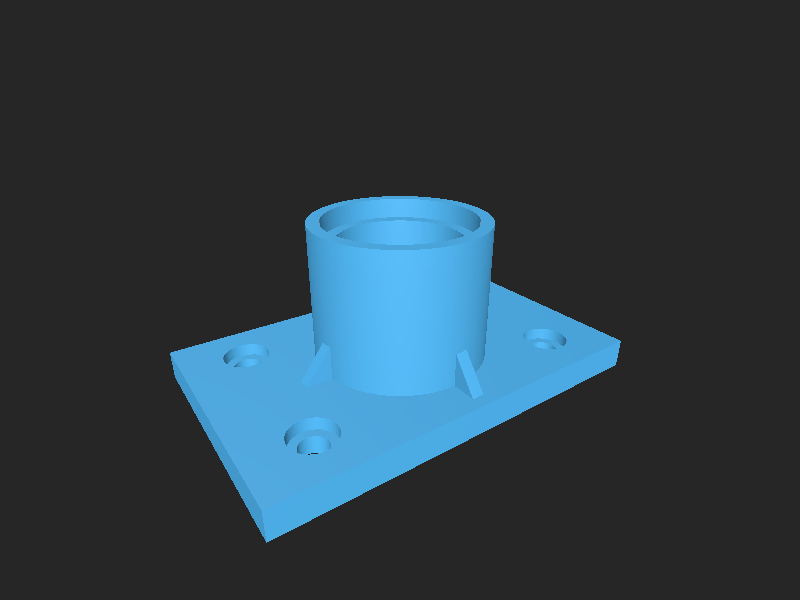
- CAD source: flanged_bearing_housing.FCStd, flanged_bearing_housing.step
- Exports: flanged_bearing_housing.stl
- Images: eq_cost.png, eq_latency.png, eq_prob_chain.png, eq_success_bound.png, eq_throughput.png, eq_tradeoff.png, latency_vs_tools.png, page_2.png, page_5.png, production_chart.png, success_rate_bar.png, tradeoff_scatter.png
- Documents: appendix.pdf, merged_report.pdf, monthly_report.pdf, split_0-4.pdf, watermarked_report.pdf
Source & license
Imported into the CommunityCAD Archive with attribution preserved. All rights remain with the original author under the stated license.