Urchin

Urchin
34 key ZMK keyboard, nice!view, nice!nano & hotswap supported.
Overview
Urchin 🪸
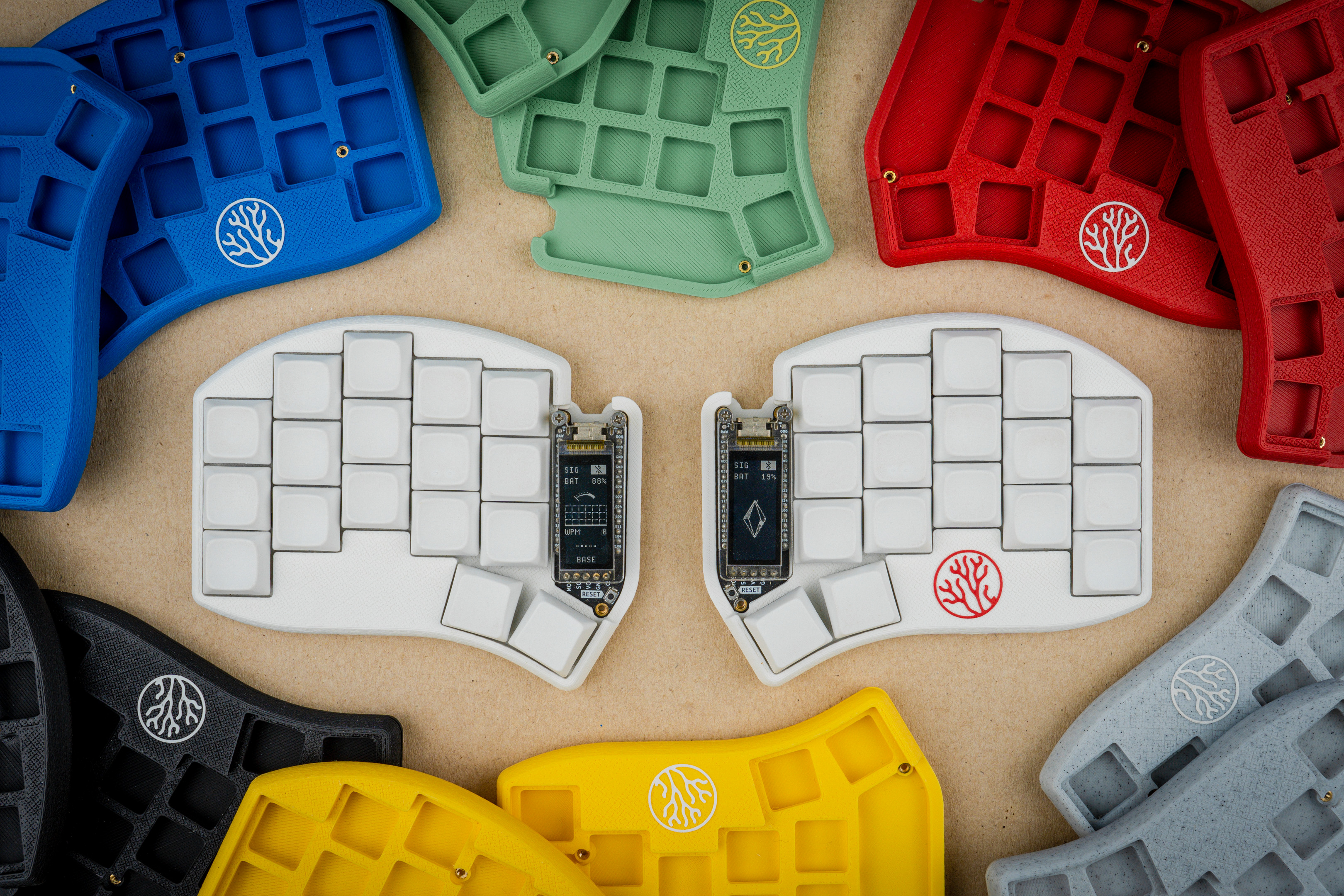
I created this design because I wanted to upgrade my Sweep with the fancy nice!view displays. I decided to use the edge design from the Swoop and to make it compatible with Kailh hotswap sockets. This is a strictly wireless-only design, and is only compatible with ZMK / nice!nano. Only Choc v1 switches + Hotswap are supported!
Q: Why is this not just another Sweep? A: In order to support the nice!view display I had to use a switch matrix with diodes instead of the Sweep's direct pin design. This means that the firmwares are not interchangeable. I also wanted to use a different PCB shape which makes it incompatible with Sweep cases.
If you enjoy my work, please consider ⭐ starring and/or ❤ sponsoring it.
Sponsors
Support the people that support me! 🙏🏻
<span class="sponsors"> <a href="https://www.pcbway.com/"> <img src="https://user-images.githubusercontent.com/27895007/201170595-901a4723-b910-418c-b273-a5c9987ad1c8.png" height="50"/> </a> <a href="https://shop.beekeeb.com/"> <img src="https://user-images.githubusercontent.com/27895007/192096782-2ca086d8-54a3-42fd-a67b-0f1e25f1ffbc.png" height="50"/> </a> </span>Features
- Design fully optimized for wireless
- Native nice!view support
- Familiar Ferris/Sweep layout
- Improved outline shape
- Support for Kailh hotswap sockets
- Mounting points for cases
- 3D printable enclosure case
- Switch Plate files (3 options)
- MCU/Screen Cover files
Part list (for a full keyboard)
Required
- 1× PCB Kit (files for it are in releases)
- 34× Kailh CHOC Hotswap Sockets
- 34× Kailh Choc v1 Switches
- 34× Keycaps
- 34× SMD diodes (SOD-123)
- 2× nice!nano
- 2× Lipo battery (301230)
- 48× mill-max machined pins
- 2× Pair of female headers
Optional
- 2× nice!view
- 2× Reset switch (B3U-1000P(M))
- 2× Power switch (MSK 12C02)
- 10× adhesive silicone feet
Case (NEW!)
| Coral Case | Description |
|---|---|
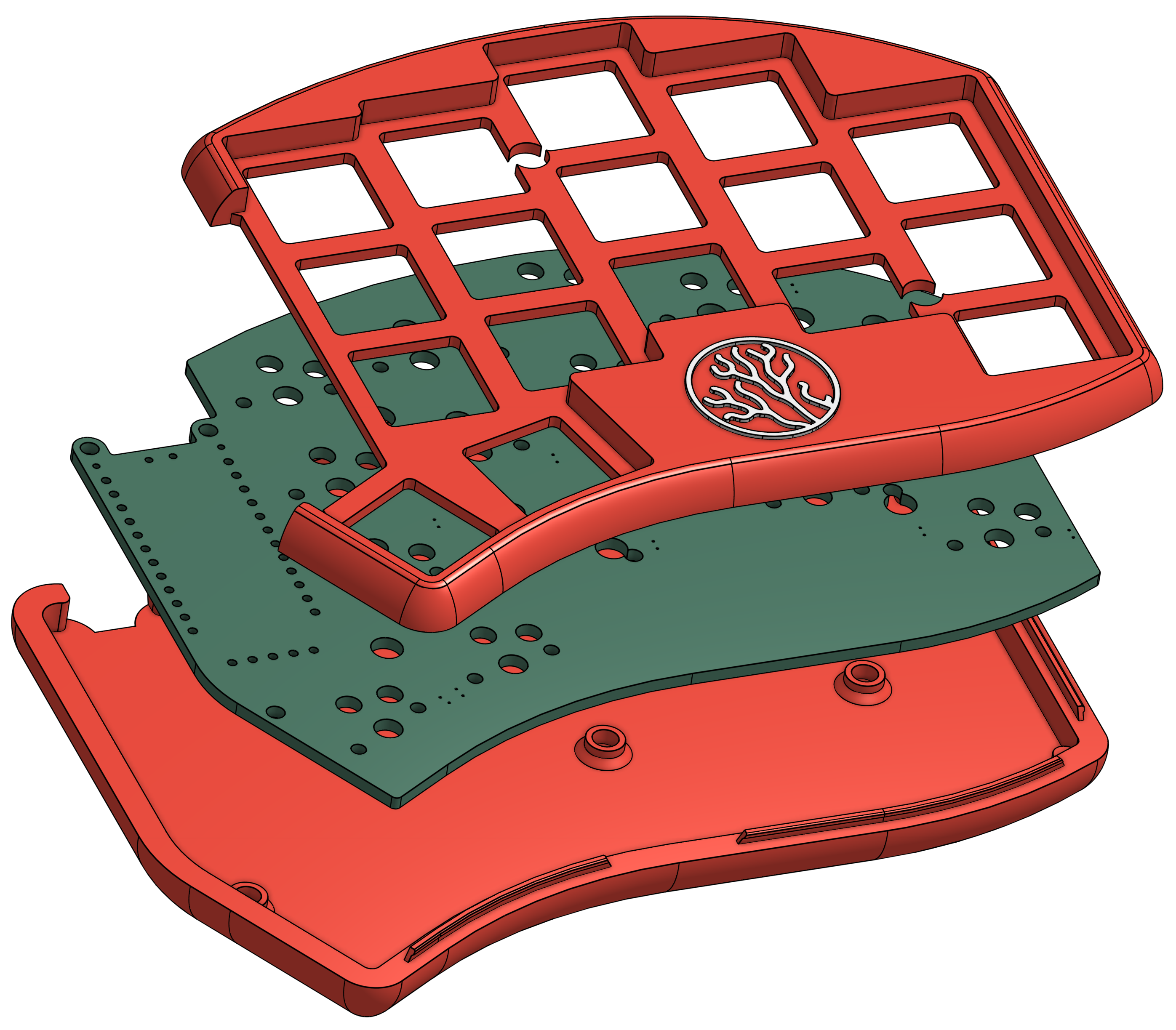 | The official Coral case is available on Makerworld (for free). Other cases can be found in this repository inside the 3d-prints folder. |
[!NOTE]
Installing a case, microcontroller cover, or screen acrylic cover will require additional M2 hardware not included in this list. (Like screws, standoffs, nuts, heat set inserts)
How do I make this?
<a href="https://youtu.be/CHSh1-dJq24" target="_blank"> <img src="https://gist.githubusercontent.com/duckyb/337340baa1f0c8bcc06fef7b3b57242b/raw/97e6e0748dd1b8a3fb54fac0a88e84e6b6e0e10a/build-guide-button.svg" height="44"> </a>Firmware
Urchin supports ZMK only. To get started with ZMK visit the zmk-urchin repository and follow the provided instructions.
More videos about Urchin
Credits
- PCB edge design by jimmerricks
- Coral, rocks, sand & bubbles by Kneecrust
- The development name "Swipe Light" by Pete
- Nice!view integration reference: sadekbaroudi/sweep36
- ZMK Firmware help by Mabroum & Bravekarma
- Silkscreen labels style: bastardkb/dilemma
- 3d case by iamDrakkir
- 3d case by chewiedies
- 3d case by carrefinho
- Coral logo idea by exosr on discord
Files in this package
- CAD source: Urchin Plate Case.step, Urchin_Tray_Case.f3d, case v8.step, case-left.step, case-right.step, main.step, screen-shield v16.step, screen-shield.dxf, switch-plate.step
- Exports: ALL-OPTIONS.3mf, case-left.stl, case-right.stl, fishbone__plate.stl, standard__plate.stl, urchin_case_left.stl, urchin_case_right.stl, urchin_plate_right_basic.stl, urchin_plate_right_full.stl, urchin_plate_right_reset.stl, v1-TrayWithFillet-capture.stl, v1-TrayWithFillet-inserts.stl (+7 more)
- Images: base-plate.png, cad-side-no-pcb.png, cad-side-pcb.png, cad-top-no-pcb.png, fishbone.jpg, side.png, skeleton.jpg, standard.jpg, switch-plate.png, top.png, urchin_case_1.jpg, v1-TrayWithChamfer.png
Source & license
- Original author: duckyb
- Source repository: https://github.com/duckyb/urchin
- License: MIT
Imported into the CommunityCAD Archive with attribution preserved. All rights remain with the original author under the stated license.