Banime40
Banime40
A 4x10 hotswap ortholinear keyboard that supports multiple configurations.
Overview
banime40
<img src="https://raw.githubusercontent.com/ChrisChrisLoLo/banime40/master/docs/images/IMG_20220319_143632.jpg" width="500">A 4x10 gasket mounted hotswap ortho keyboard that supports multiple configurations.
Get it here if you're in the EU!: https://keycapsss.com/Banime40-PCB/KC10266
Status
v2.0 PCBs have been produced and assembled. The design of the keyboard is good for distrubution, as I've been using one as my daily driver
v3.1 tries enables the rotary encoders without the workarounds, though this board hasn't been tested
v3.0 adds additional screw hole. Introduces rotary encoders that are non-functional without workarounds
NOTE: If you have a v3.0 PCB, note that rotary encoders will not work unless one of the encoder grounds is jumped to GND. This is because the original leads hooked up to the wrong side of the reset button due to a mistake made in eeschema.
You can find a guide to work around this here
Features
- Hotswap
- Gasket Mounted
- Multiple layouts supported
- Grid, MIT, HHKB, WKL, REVIUNG33, and other layouts supported
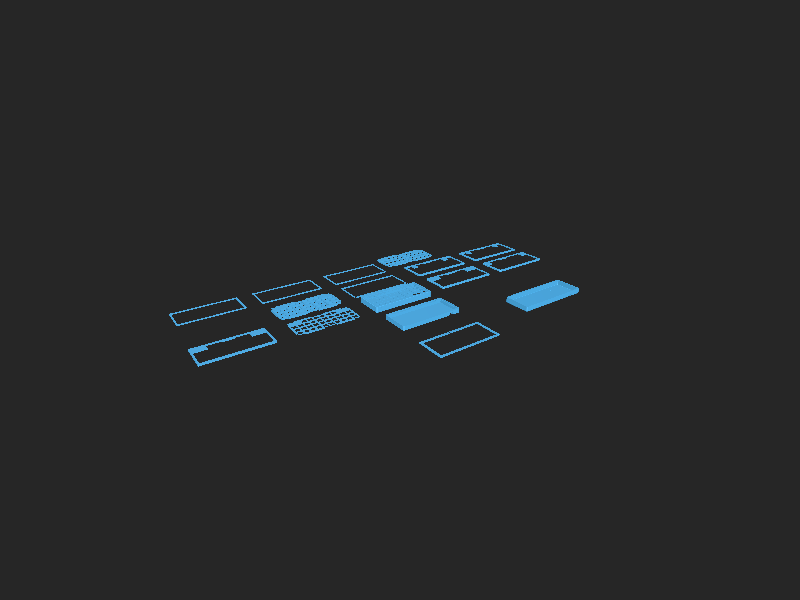
- A modular top ("mod top™") system is used, allowing you to print and swap out the top piece of the case, depending on what layout you wish to use
- VIA Compatible *
- hex file can be found in the firmware section
- VIA json available to be sidedloaded with VIAL
- QMK PR merged
Supported Layouts
Refer to the KLE diagram below to see all possible configurations. Note that each colored cluster represents different options. There are, in total, 24 possible key configurations possible.
<img src="https://raw.githubusercontent.com/ChrisChrisLoLo/banime40/master/docs/images/keyboard-layout.png">Case
All of the case files you need can be found in the case directory. You will need the "Bottom" case file, the "Plate" case file, as well as one of the "Top" case files, depending on what kind of layout you want (WK, HHKB, WKL, etc.). Use the Github model preview feature to get a better understanding of what top you may want to pick
PCB
A zipped set of Gerbers have been placed in the pcb directory, which should be ready to be sent off imediately to PCBWay or the like. PCBWay has helped sponsor some new iterations of the banime40, and has provided a fast, easy service while ordering from them, so I recommend checking them out for your PCB and FDM printing needs.
Directory Structure
caseYou can find the files you need in this folder to print out a case for the keyboarddraftsStores any KLE or intermediate information used in making the casefirmwareUsed to store any firmware relating to the keyboard. Merges to the QMK repo planned.outlinesOutlines used to create the case and pcbpcbKicad project relating to the project
Attribution
All emojis designed by OpenMoji – the open-source emoji and icon project. License: CC BY-SA 4.0
Files in this package
- CAD source: banime_case v4.step, banime_case v7.step, bottom.dxf, closed.dxf, switch.dxf, switch.dxf, switch_big_spacebar.dxf, switch_spacebar.dxf, top_10u_thumbs.dxf
- Exports: Bottom PCB.stl, Plate Final.stl, Top Grid.stl, Top HHKB 8u.stl, Top HHKB 6u.stl, Top WKL 6,25u.stl, Top WKL 6u.stl
- Images: IMG_20220319_143840.jpg, hotfix.png, keyboard-layout.png
Source & license
- Original author: ChrisChrisLoLo
- Source repository: https://github.com/ChrisChrisLoLo/banime40
- License: CC-BY-SA-4.0
Imported into the CommunityCAD Archive with attribution preserved. All rights remain with the original author under the stated license.