Non Planar Ironing
zip0 downloads

1 / 11
Non Planar Ironing
Non-planar Ironing g-code generation to make FDM 3D prints up to 10x smoother
Overview
Non-Planar Ironing
A novel technique for Smoother Surface Finishes in FDM printing
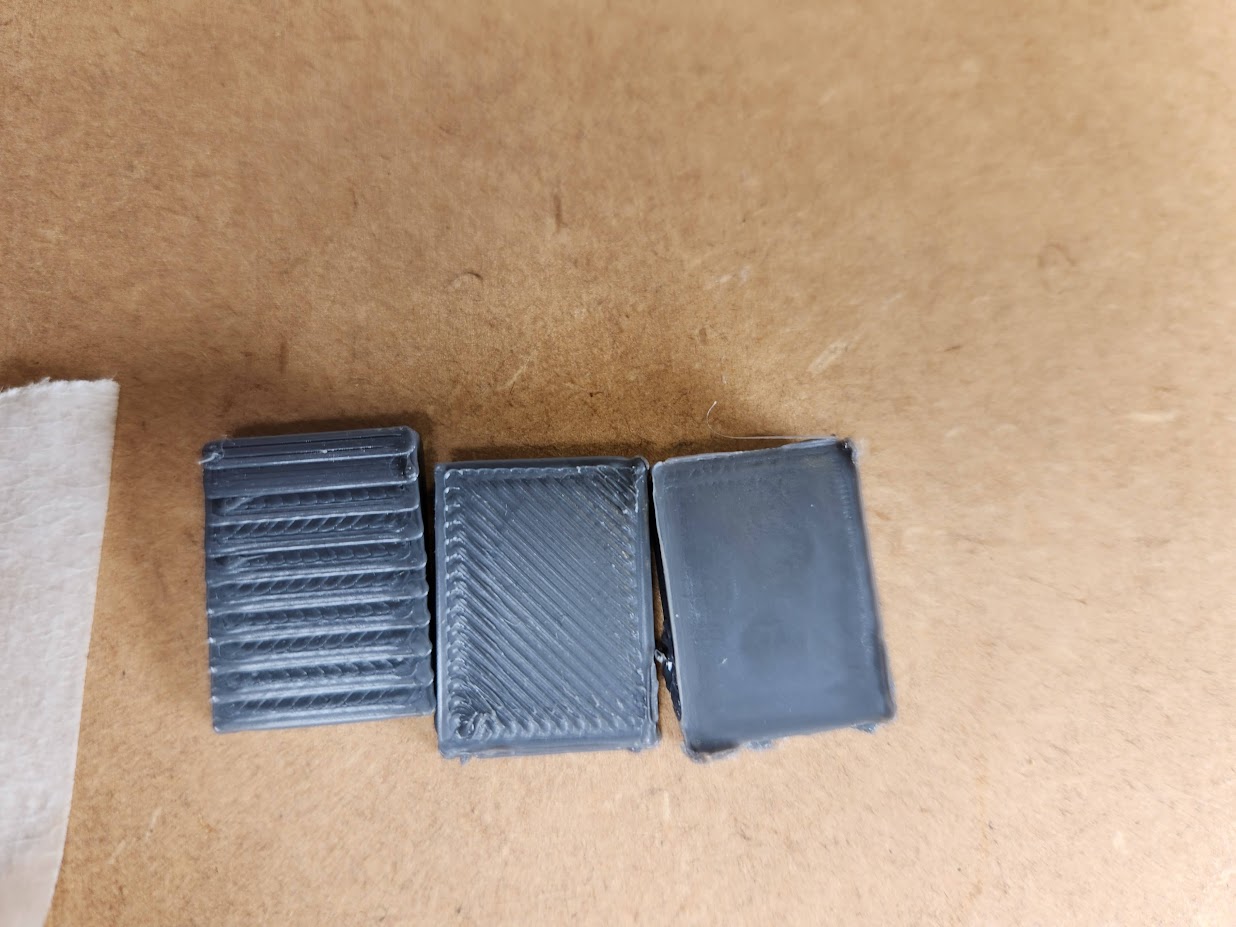
- Left - Standard printing
- Middle - Best Previous Technique
- Right - Our technique
Run Non-planar Slic3r
This is based off non-planar slic3r which can be found here (or as a sub-repository): https://github.com/Zip-o-mat/Slic3r
Slic3r settings
Slic3r has odd defaults, so make sure to set them properly. Things to look out for include:
- Default layer height
- Default Nozzle diameter
- Default filament diameter
Run the script
Add a file to tge root of this repo named .input.gcode. It should have the following content:
G1 X0 <YFinal> Z0 E0  ; Get opposite y coordinate (to zig-zag)
G1 <X0> <Y0> <Z0> E0  ; Go to start point
G1 <X1> Y0 <Z1> E0    ; Increment along the XZ plane
G1 <X2> Y0 <Z2> E0
G1 <X3> Y0 <Z3> E0
ETC
If a number does not have <> around it it can be value.
The Blue dot below represents point 0, the pink dot point Final.
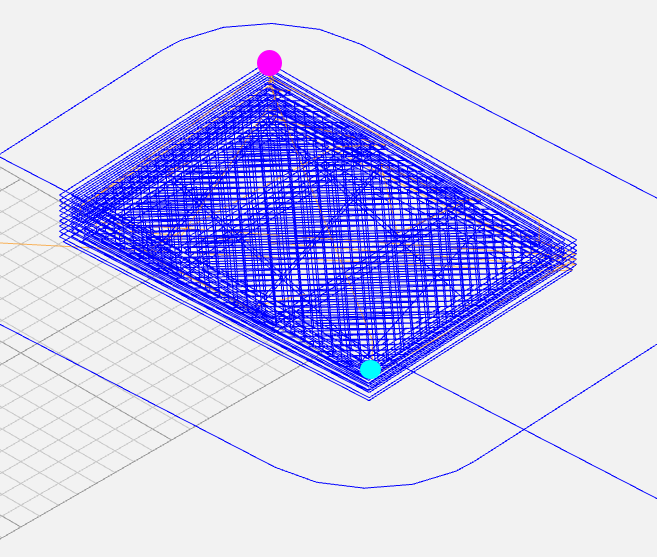
Then run the code.ipynb notebook.
Files in this package
- CAD source: 10mm.gcode, 10mm.gcode, 10mm.gcode, 1line.gcode, 2line.gcode, 7mm.gcode, 8mm.gcode, 8mm.gcode, 9mm.gcode, 9mm.gcode, 9mm.gcode, Defualt slicer Planar.gcode (+67 more)
- Exports: 10mm.stl, 1mm.stl, 2mm.stl, 3mm.stl, 4mm.stl, 5mm.stl, 6mm.stl, 7mm.stl, 8mm.stl, 9mm.stl, curvy.stl
- Images: ironing.jpg, points.png
Source & license
- Original author: etinaude
- Source repository: https://github.com/etinaude/Non-planar-ironing
- License: GPL-3.0
Imported into the CommunityCAD Archive with attribution preserved. All rights remain with the original author under the stated license.