Virtual Controls Laboratory
Virtual Controls Laboratory
Virtual labs and mechanisms for studying controls.
Overview
<span style="color:rgb(213,80,0)">Virtual Controls Laboratory</span>
 or
or 

Curriculum Module
Created with R2024b. Compatible with R2024b and later releases.
Information
This curriculum module contains interactive MATLAB® live scripts and Simulink models that teaches common concepts used in controls courses.
Background
You can use these live scripts as demonstrations in lectures, class activities, or interactive assignments outside class. These virtual labs offer opportunities to visually analyze dynamic systems, identify system parameters, design and test controllers, among others. Instructions for four introductory labs are included. These labs are designed to give an intuitive introduction to basic controls concepts, such as feedback control. Students also have the opportunity to implement and test simple controllers in Simulink.
The instructions inside the live scripts will guide you through the exercises and activities. Get started with each live script by running it one section at a time. To stop running the script or a section midway (for example, when an animation is in progress), use the <img src="Images/EndIcon.png" width="19" alt="EndIcon.png"> Stop button in the RUN section of the Live Editor tab in the MATLAB Toolstrip.
Contact Us
Contact the MathWorks Educator Content Development Team if you would like to provide feedback, or if you have a question.
Prerequisites
This module assumes basic knowledge of algebra, differential equations and control system theory. There is minimal MATLAB knowledge required for these scripts and app, but you could use MATLAB Onramp, Simulink Onramp and Control Design Onramp with Simulink as resources to acquire familiarity with MATLAB syntax, live scripts, and Simulink models and controls.
Getting Started
Accessing the Module
On MATLAB Online:
Use the <img src="Images/OpenInMO.png" width="136" alt="OpenInMO.png"> link to download the module. You will be prompted to log in or create a MathWorks account. The project will be loaded, and you will see an app with several navigation options to get you started.
On Desktop:
Download or clone this repository. Open MATLAB, navigate to the folder containing these scripts and double-click on VirtualControlsLaboratory.prj. It will add the appropriate files to your MATLAB path and open an app that asks you where you would like to start.
Ensure you have all the required products (listed below) installed. If you need to include a product, add it using the Add-On Explorer. To install an add-on, go to the Home tab and select <img src="Images/AddOnsIcon.png" width="16" alt="AddOnsIcon.png"> Add-Ons > Get Add-Ons.
Products
MATLAB is used throughout. Tools from Simulink, Control System Toolbox™, Simscape™, Simscape Multibody™, and Simscape Driveline™ are used frequently as well.
Scripts
CruiseControl.mlx
| In this script, students will... <br> | Academic disciplines <br> | |
| <img src="Images/image_3.png" width="231" alt="image_3.png"> <br> | • Compare and contrast open-loop and feedback control. <br> • Implement a simple open-loop controller in Simulink. <br> • Analyze the performance of an open-loop controller. <br> • Implement a proportional controller in Simulink. <br> • Analyze the performance of a proportional controller. <br> | • Mechanical Engineering <br> • Electrical Engineering <br> • Mathematics <br> |
VehicleModel.mlx
| In this script, students will... <br> | Academic disciplines <br> | |
| <img src="Images/image_4.png" width="231" alt="image_4.png"> <br> | • Derive the transfer function of a first order system. <br> • Compare the transfer function and virtual vehicle responses. <br> • Identify the model parameters for the virtual vehicle. <br> | • Mechanical Engineering <br> • Electrical Engineering <br> • Mathematics <br> |
PositionControl.mlx
| In this script, students will... <br> | Academic disciplines <br> | |
| <img src="Images/image_5.png" width="231" alt="image_5.png"> <br> | • Implement a PID controller. <br> • Identify rise time, settling time, overshoot, and peak time. <br> • Explain how changes to PID parameters affect the time-domain response. <br> | • Mechanical Engineering <br> • Electrical Engineering <br> • Mathematics <br> |
PositionAnalysis.mlx
| In this script, students will... <br> | Academic disciplines <br> | |
| <img src="Images/image_6.png" width="231" alt="image_6.png"> <br> | • Construct a closed-loop transfer function. <br> • Plot the step response of a closed-loop transfer function. <br> • Identify the poles of a closed-loop transfer function. <br> • Assess the stability of a closed-loop transfer function. <br> | • Mechanical Engineering <br> • Electrical Engineering <br> • Mathematics <br> |
Virtual Labs
Virtual labs is the idea of taking hardware and converting it into a realistic computer simulation. This allows the user to expand their intuition and test beyond the capabilities of the hardware. Below is a set of virtual mechanisms available in this module to explore:
| CruiseControl.slx <br> | DCMotorControl.slx <br> | InvertedPendulum.slx <br> |
| <img src="Images/image_7.gif" width="171" alt="image_7.gif"> <br> | <img src="Images/image_8.gif" width="171" alt="image_8.gif"> <br> | <img src="Images/image_9.gif" width="171" alt="image_9.gif"> <br> |
| RotaryPendulum.slx <br> | BallAndBeam.slx <br> | BallAndPlate.slx <br> |
| <img src="Images/image_10.gif" width="171" alt="image_10.gif"> <br> | <img src="Images/image_11.gif" width="171" alt="image_11.gif"> <br> | <img src="Images/image_12.gif" width="171" alt="image_12.gif"> <br> |
License
The license for this module is available in the LICENSE.md.
Related Courseware Modules
Fourier Analysis
| <img src="Images/image_13.jpeg" width="171" alt="image_13.jpeg"> <br> | Available on: <br> <img src="Images/OpenInFX.png" width="91" alt="OpenInFX.png"> <br> <img src="Images/OpenInMO.png" width="136" alt="OpenInMO.png"> <br> GitHub <br> |
Transfer Function Analysis of Dynamic Systems
| <img src="Images/image_16.png" width="171" alt="image_16.png"> <br> | Available on: <br> <img src="Images/OpenInFX.png" width="91" alt="OpenInFX.png"> <br> <img src="Images/OpenInMO.png" width="136" alt="OpenInMO.png"> <br> GitHub <br> |
Feel free to explore our other modular courseware content.
Educator Resources
Contribute
Looking for more? Find an issue? Have a suggestion? Please contact the MathWorks Educator Content Development Team. If you want to contribute directly to this project, you can find information about how to do so in the CONTRIBUTING.md page on GitHub.
© Copyright 2025 The MathWorks, Inc
Files in this package
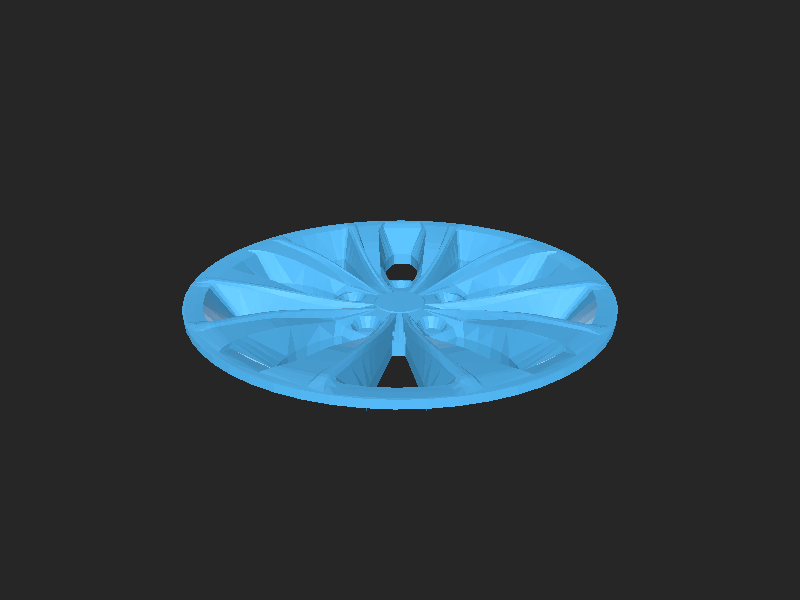
- CAD source: cc_Sedan_Hamba_wheel_hubcap.STEP, cc_Sedan_Hamba_wheel_rim.STEP
- Exports: bb_beam.stl, bb_leftstop.stl, bb_rightstop.stl, bp_horn1.stl, bp_horn2.stl, cc_Sedan_HambaLG_Body.stl, cc_Sedan_Hamba_body.STL, cc_Sedan_Hamba_seats.STL, dc_gearbox.stl, ip_carriage.stl, ip_gearrack.stl, rp_labels.stl (+45 more)
- Images: AddOnsIcon.png, EndIcon.png, OpenInFX.png, OpenInMO.png, VirtualVehicle.png, cc_fbd.png, closedloop.png, image_16.png, image_5.png, image_6.png, rotarymask.png, vehiclecover.png
Source & license
- Original author: MathWorks-Teaching-Resources
- Source repository: https://github.com/MathWorks-Teaching-Resources/Virtual-Controls-Laboratory
- License: BSD-3-Clause
Imported into the CommunityCAD Archive with attribution preserved. All rights remain with the original author under the stated license.